Bekzod Erkinov

Listen to Article
Loading...Table of contents · 10 sections
Build a Real-Time Voice Agent with ElevenLabs in React
Some links in this post are affiliate links; see our disclosure.
Building real-time voice interfaces has historically required developers to juggle disparate speech recognition, language model, and audio synthesis pipelines over WebSockets, resulting in latency spikes, robotic turn-taking, and fragile interruption handling across multiple vendors. By combining a unified conversational speech engine with dedicated React hooks and a signed-token authorization flow, you can deploy a responsive, human-sounding voice assistant directly into a web application with minimal glue code.
:::tip Quick Verdict Pick it if:
- You want human-grade vocal realism, emotional inflection, and automated turn-taking in a React web app.
- You need a managed pipeline bundling transcription, LLM reasoning, and low-latency audio generation without maintaining custom WebRTC media servers.
- You need your voice assistant to execute client-side tools (like updating component state or navigating views) during a live call.
Skip it if:
- You are building multi-participant video conferences requiring custom WebRTC track routing and selective forwarding units (SFUs).
- Your compliance mandates demand air-gapped on-premises speech processing where external cloud APIs cannot be touched.
- You operate a high-volume commodity IVR phone tree where robotic delivery is acceptable and shaving sub-cent margins outweighs voice quality. :::
What ElevenLabs Conversational AI Is (and Is Not)
Developers who have previously integrated audio into web apps are likely familiar with standard text-to-speech (TTS) endpoints. In a traditional REST or streaming setup, an application sends a text string to a server and receives an MP3 or PCM audio stream. That workflow suits podcasts, article narration, or static accessibility prompts, but it fails in natural conversation.
Real dialogue requires immediate, bidirectional responsiveness. People speak in short bursts, interrupt each other, pause to think, and expect immediate feedback. Delivering that experience demands continuous bidirectional audio transport, automated speech recognition (ASR), rapid reasoning, and responsive voice activity detection (VAD).
This is where ElevenLabs positions its Conversational AI platform (detailed in the ElevenLabs Documentation). Rather than functioning as a standalone speech synthesizer, the platform bundles four essential layers into a single stateful WebSocket or WebRTC connection:
- Streaming Speech-to-Text (ASR): Transcribes incoming microphone audio in real time.
- Language Model Orchestration: Routes transcripts through an LLM (such as Anthropic Claude, OpenAI GPT, Google Gemini, or a custom self-hosted endpoint) with system instructions and knowledge base context.
- Turn-Taking and Interruption Logic: Detects when a user begins speaking while the agent is active, instantly cutting the agent's audio stream so the user feels heard rather than spoken over.
- Low-Latency Text-to-Speech: Synthesizes model responses using high-speed streaming models like
eleven_flash_v2_5, achieving sub-second response times across more than 90 languages.
Crucially, the platform is not an open-source WebRTC media server or raw routing mesh like LiveKit. If your application requires mixing twelve callers into a virtual room with simultaneous video and screen sharing, an agent-centric platform will not replace that underlying media layer. Instead, it is designed for single-user interactive agents: virtual receptionists, product advisors, intake assistants, and interactive web copilots.
ElevenLabs Conversational AI: Pros & Cons
| Pros | Cons |
|---|---|
| Industry-leading vocal realism: Natural pacing, expressive nuance, and dynamic inflection across 90+ languages. | Single-agent topology: Designed for one-on-one sessions; cannot route multi-participant conference rooms or SFU media streams. |
| All-in-one conversational runtime: Collapses speech recognition (ASR), LLM reasoning, VAD, and TTS into one managed WebSocket or WebRTC connection. | Cloud-only SaaS model: Cannot run air-gapped on-premises for organizations under strict isolated data residency mandates. |
Sub-second response speeds: Streaming engines like eleven_flash_v2_5 deliver rapid turn-taking without multi-service latency buildup. |
Higher unit economics for simple IVR: Bundled pricing ($0.08–$0.10/min) is overkill for commodity touch-tone or robotic phone trees. |
Direct React state binding: First-class @elevenlabs/react hook with clientTools for driving client-side component updates during speech. |
Base concurrency ceilings: Lower plans enforce strict concurrent call limits (2–10 sessions), requiring upgrades or burst fees under spikes. |
| Zero media infrastructure overhead: Eliminates the operational complexity of deploying and maintaining custom LiveKit or WebRTC media servers. | Independent downstream billing: Third-party telephony carriers (e.g., Twilio) and external LLM keys incur separate usage fees. |
Why Real-Time Voice Architecture Matters Now
Voice interfaces have strict latency requirements. Sociolinguistic research shows that natural human conversational pauses range between 200 and 300 milliseconds. When a voice agent introduces delays of 1,200 to 2,000 milliseconds before responding, the conversation falters. Users assume the system dropped the connection, begin speaking again, and collide with delayed audio packets.
Early architectures attempted to bridge this by assembling a "Franken-stack":
- Capturing microphone PCM buffers in the browser.
- Streaming audio over WebSockets to a transcription vendor.
- Piping transcribed text tokens into an LLM API.
- Buffering text chunks until punctuation arrived, then forwarding them to a speech synthesis API.
- Streaming audio chunks back down to the browser's Web Audio API for playback.
Each handoff introduces serialization overhead, network latency, and fragile failure points. Interruption handling becomes particularly challenging: if a user interrupts while the TTS service is halfway through an answer, the client must abort audio playback, instruct the LLM to cancel generation, and clear the transcription context.
Modern voice platforms eliminate this friction by collapsing the entire loop into a single managed runtime. With turn detection handled natively at the speech engine layer, interruption tokens are processed automatically. If you are deploying this conversational assistant onto a service appointment page, pair it with the dental-clinic-landing template for an accessible clinic layout.
Architectural Comparison: Integrated Agent vs. Modular WebRTC
When deciding how to build a voice-enabled web app, developers generally evaluate two distinct architectural paths: an integrated agent platform (such as ElevenLabs Conversational AI) or a modular composable stack (such as pairing a dedicated speech recognition model with an open-source WebRTC transport framework).
To illustrate the technical differences, consider how the integrated pipeline compares to an orchestration built using Deepgram's Flux documentation for transcription alongside an open-source WebRTC media server like LiveKit:
| Evaluation Dimension | Integrated Conversational AI (ElevenLabs) | Modular Composable Stack (Deepgram + LiveKit) |
|---|---|---|
| System Architecture | Managed end-to-end cloud platform | Composable, multi-vendor microservice pipeline |
| Transport Layer | Managed WebSockets / WebRTC client adapter | Native WebRTC media rooms and SFUs |
| Turn Detection & VAD | Built-in conversational turn detection and interruption handling | Configurable turn thresholds (eot_threshold, eot_timeout_ms) |
| Voice Realism & Inflection | Industry benchmark for emotional nuance, pacing, and cloning | High-speed synthetic output; requires manual tuning for emotional depth |
| Client UI Integration | Native client tool callbacks registered directly in React hooks | Custom data channel messages sent over WebRTC data tracks |
| Implementation Overhead | Minimal: one backend signed-URL route and one React hook | Substantial: requires deploying media servers and custom agent orchestrators |
| Multi-Party Support | Single-user to agent interaction | Multi-user, multi-room audio/video conferences |
| Pricing Model | Bundled per-minute pricing (from $0.08 to $0.10/min) | Decoupled billing (separate STT, TTS, LLM, and cloud egress charges) |
The trade-off balances velocity against control. A modular stack grants authority over audio buffers and allows self-hosting media servers, but requires building custom audio orchestration and tuning interruption heuristics. For teams focused on shipping an interactive user-facing feature, a managed platform dramatically reduces time to production.
How the Client-Server Authorization Flow Works
A frequent security mistake made by frontend developers is embedding secret API keys directly into client-side bundles. ElevenLabs requires an API key (xi-api-key) for account operations. Exposing this key inside a React component allows anyone inspecting client traffic to extract it and consume your account credits.
To avoid credential leakage while allowing direct client-to-cloud audio streaming, the platform uses a Signed URL handshake:
[ Browser / Client ]          [ Your Server ]              [ ElevenLabs API ]
       |                             |                            |
       |--- 1. POST /api/session --->|                            |
       |                             |--- 2. GET get-signed-url ->|
       |                             |       Header: xi-api-key   |
       |                             |<-- 3. { signed_url } ------|
       |<-- 4. Return signedUrl -----|                            |
       |                                                          |
       |=== 5. Connect wss:// with signed_url ===================>|
The Authentication Lifecycle
- Frontend Request: When the user initiates a conversation, the React client requests a temporary session token from your backend server endpoint (
/api/voice/session). - Backend Delegation: Your server authenticates the user, verifies permissions, and executes an HTTP
GETrequest tohttps://api.elevenlabs.io/v1/convai/conversation/get-signed-url?agent_id=<YOUR_AGENT_ID>with your secretxi-api-keyheader. - Token Issuance: ElevenLabs returns a JSON payload containing an ephemeral, pre-signed WebSocket URL valid for approximately 15 minutes.
- Client Connection: Your server sends the
signed_urlto the React client. The client library establishes a direct WebSocket connection using this temporary URL. Your private API key never touches the browser.
Browser Permissions and Secure Contexts
Microphone access in modern browsers is governed by strict security policies outlined in MDN Web Docs:
- The
navigator.mediaDevices.getUserMediaAPI is available only in Secure Contexts (https://orlocalhost). Insecure HTTP connections returnundefinedand throw aTypeError. - When embedding your voice interface inside an
<iframe>, the host frame must grant audio privileges viaallow="microphone".
Step-by-Step Implementation in React and Next.js
Below is an end-to-end implementation demonstrating how to build a voice assistant in a React or Next.js environment.
[!NOTE] Implementation Notice: The snippets below follow the official API contracts in the npm package registry for
@elevenlabs/react. Network execution requires an active ElevenLabs account, an Agent ID, and an HTTPS runtime.
Step 1: Install the Package
Install the official React SDK, which includes all required client connection primitives:
npm install @elevenlabs/react
Step 2: Create the Backend Token Generator
Create a Next.js Route Handler in app/api/voice/session/route.ts to generate the ephemeral signed URL:
// app/api/voice/session/route.ts
import { NextResponse } from "next/server";

export async function POST() {
  const apiKey = process.env.ELEVENLABS_API_KEY;
  const agentId = process.env.ELEVENLABS_AGENT_ID;

  if (!apiKey || !agentId) {
    return NextResponse.json(
      { error: "Missing required environment configuration." },
      { status: 500 }
    );
  }

  try {
    const endpoint = `https://api.elevenlabs.io/v1/convai/conversation/get-signed-url?agent_id=${agentId}`;
    const res = await fetch(endpoint, {
      method: "GET",
      headers: { "xi-api-key": apiKey },
      cache: "no-store",
    });

    if (!res.ok) {
      const errorText = await res.text();
      return NextResponse.json({ error: errorText }, { status: res.status });
    }

    const data = await res.json();
    return NextResponse.json({ signedUrl: data.signed_url });
  } catch (error) {
    return NextResponse.json({ error: "Failed to generate token." }, { status: 500 });
  }
}
Step 3: Build the Conversational Component
Create a client component using useConversation. The hook provides connection indicators (status, isSpeaking) and control methods (startSession, endSession):
"use client";

import React, { useState, useCallback } from "react";
import { useConversation } from "@elevenlabs/react";

interface AppointmentDetails {
  serviceName: string;
  preferredDate: string;
}

export function VoiceAppointmentAgent() {
  const [errorMessage, setErrorMessage] = useState<string | null>(null);
  const [bookingConfirmation, setBookingConfirmation] = useState<string | null>(null);

  const conversation = useConversation({
    onConnect: () => setErrorMessage(null),
    onError: (err: string | Error) => {
      setErrorMessage(typeof err === "string" ? err : err.message);
    },
    clientTools: {
      updateAppointmentSummary: async (params: AppointmentDetails) => {
        setBookingConfirmation(`Booked: ${params.serviceName} on ${params.preferredDate}.`);
        return { success: true, message: "Summary displayed on user screen." };
      },
    },
  });

  const handleStartSession = useCallback(async () => {
    setErrorMessage(null);
    try {
      (await navigator.mediaDevices.getUserMedia({ audio: true })).getTracks().forEach((t) => t.stop());
      const res = await fetch("/api/voice/session", { method: "POST" });
      if (!res.ok) throw new Error("Could not acquire voice session token.");
      const { signedUrl } = await res.json();
      await conversation.startSession({ signedUrl });
    } catch (err: unknown) {
      const errorObj = err as Error;
      setErrorMessage(errorObj.message || "Failed to initialize session.");
    }
  }, [conversation]);

  const isConnected = conversation.status === "connected";
  const isConnecting = conversation.status === "connecting";

  return (
    <div className="p-6 border rounded-xl max-w-md mx-auto">
      <h3 className="text-xl font-semibold mb-2">Schedule with Voice</h3>
      <p className="text-sm text-gray-600 mb-4">
        Status: <strong>{conversation.status}</strong> | Speaking: <strong>{conversation.isSpeaking ? "Yes" : "No"}</strong>
      </p>

      {bookingConfirmation && (
        <div className="p-3 mb-4 bg-emerald-50 text-emerald-800 text-sm rounded border border-emerald-200">
          {bookingConfirmation}
        </div>
      )}

      {errorMessage && (
        <div className="p-3 mb-4 bg-red-50 text-red-700 text-sm rounded border border-red-200">
          {errorMessage}
        </div>
      )}

      {isConnected ? (
        <button onClick={() => conversation.endSession()} className="w-full py-2 px-4 bg-red-600 text-white rounded-lg">
          End Conversation
        </button>
      ) : (
        <button onClick={handleStartSession} disabled={isConnecting} className="w-full py-2 px-4 bg-blue-600 text-white rounded-lg disabled:opacity-50">
          {isConnecting ? "Connecting..." : "Start Conversation"}
        </button>
      )}
    </div>
  );
}
Step 4: Understanding Client Tool Execution
The clientTools object passed into useConversation links conversational speech to your React state. When an agent decides to trigger updateAppointmentSummary:
- The WebSocket delivers a tool execution payload containing the parsed parameters (
serviceNameandpreferredDate). - The hook executes your registered TypeScript callback function.
- Your function updates component state, causing immediate visual feedback to render on screen.
- Your function returns a JSON-serializable object (
{ success: true }). The SDK transmits this payload back over the WebSocket to the LLM, enabling the agent to confirm the action naturally.
Operational Pitfalls and Edge Cases
Deploying voice agents to production introduces operational considerations around token lifecycles, acoustic echo, and browser audio handling.
1. Token Lifecycles and Session Staling
Signed URLs generated via /v1/convai/conversation/get-signed-url remain valid for roughly 15 minutes. Never pre-generate tokens during server-side rendering or persist them across page navigations. If a user leaves the browser tab open before clicking "Start Conversation", an expired token will trigger an immediate handshake failure. Always generate a fresh URL dynamically inside the user-initiated click handler.
2. Audio Feedback, Echo, and Loudspeakers
In browser environments, users frequently converse through laptop speakers without headphones. When the agent speaks, the laptop microphone can capture that speaker output and feed it back into the speech recognition engine.
While browsers apply software acoustic echo cancellation (AEC), developers should enforce explicit audio constraints when requesting permissions:
await navigator.mediaDevices.getUserMedia({
  audio: {
    echoCancellation: true,
    noiseSuppression: true,
    autoGainControl: true,
  },
});
If the agent still interrupts itself during testing, increase the turn-detection sensitivity threshold in the agent settings to prevent speaker leakage from triggering false speech interruptions.
ElevenLabs Conversational AI Pricing and Plan Selection
(Pricing verified October 2026)
Unlike conventional REST APIs billed on a per-request basis, conversational voice interfaces consume sustained bidirectional streaming compute. As detailed on the ElevenLabs Pricing page, conversational agent usage is billed by active call duration, either drawn from monthly subscription minute pools or billed as metered overage.
Billing Frequency and Concurrency Limits
ElevenLabs offers two billing frequencies across all paid tiers:
- Monthly Billing: Recurring month-to-month subscription with standard rates and no long-term commitment.
- Annual Billing: Paid upfront for 12 months at the cost of 10 months (an effective ~17% annual discount or two months free).
In addition to monthly minute allowances, each tier enforces an explicit base concurrency limit—the maximum number of simultaneous active caller sessions your agent infrastructure can sustain before queuing callers or incurring burst surcharges ($0.16 per burst minute):
| Subscription Tier | Monthly Billing | Annual Billing (Effective / Month) | Conversational Minutes Included | Base Concurrency Limit | Additional Minute Overage |
|---|---|---|---|---|---|
| Free | $0/mo | $0/mo | 15 min / month | 2 concurrent sessions | Not available |
| Starter | $6/mo | $5/mo ($60/yr) | 75 min / month | 3 concurrent sessions | $0.10 / min |
| Creator | $22/mo | $18.33/mo ($220/yr) | 275 min / month | 5 concurrent sessions | $0.10 / min |
| Pro | $99/mo | $82.50/mo ($990/yr) | 1,238 min / month | 10 concurrent sessions | $0.08 / min |
| Scale | $299/mo | $249.17/mo ($2,990/yr) | 3,738 min / month | 20 concurrent sessions | $0.08 / min |
| Business | $990/mo | $825/mo ($9,900/yr) | 12,375 min / month | 40 concurrent sessions | $0.08 / min |
Plan-to-Workload Recommendation Breakdown
To help engineering leads and founders match their expected web traffic to the appropriate tier, evaluate your daily call volume and simultaneous user demands:
- Free Tier (Evaluation & Sandbox):
- Call Budget: 15 minutes/month (~30 seconds/day).
- Base Concurrency: 2 simultaneous sessions.
- Recommended Workload: Local developer testing, verifying WebRTC/WebSocket handshakes in a Next.js sandbox, and debugging client tool callbacks before sharing with stakeholders. Not licensed for commercial production.
- Starter Tier (Personal & Hobby Projects):
- Call Budget: 75 minutes/month (~2.5 minutes/day, or ~1 short call/day).
- Base Concurrency: 3 simultaneous sessions.
- Recommended Workload: Developer portfolio demos, hackathons, and personal proof-of-concept showcases with commercial rights for small side projects with negligible concurrent visitors.
- Creator Tier (Boutique & Solo Practitioner MVPs):
- Call Budget: 275 minutes/month (~9 minutes/day, or 4 to 5 two-minute intake calls/day).
- Base Concurrency: 5 simultaneous sessions.
- Recommended Workload: Independent professionals, solo consultancies, and boutique practices (such as a local dental clinic or boutique legal intake form) where callers interact one at a time with occasional modest overlap.
- Pro Tier (Growing SaaS & Commercial SMBs):
- Call Budget: 1,238 minutes/month (~40 minutes/day, or ~20 two-minute appointment/support calls/day).
- Base Concurrency: 10 simultaneous sessions.
- Recommended Workload: Active customer-facing production deployments, SaaS product onboarding copilots, and multi-staff appointment desks that experience regular daily traffic and require multi-seat team collaboration.
- Scale Tier (High-Growth Startups & Multi-Location Services):
- Call Budget: 3,738 minutes/month (~125 minutes/day, or ~60 two-minute conversations/day).
- Base Concurrency: 20 simultaneous sessions.
- Recommended Workload: Multi-location clinics, high-traffic consumer web apps, and front-line customer service automation where peak hour concurrency frequently spikes above 10 simultaneous callers.
Beyond base plan allowances, additional minutes cost $0.08 to $0.10 per minute depending on your tier, while concurrent burst usage beyond your plan cap costs $0.16 per minute. External telephony carriers (like Twilio) and third-party LLM keys (such as custom OpenAI or Anthropic tokens) are billed separately by those respective providers.
To prevent runaway billing from abandoned browser tabs, implement an inactivity timeout that automatically invokes conversation.endSession() if no user speech occurs for three consecutive minutes.
Who Should Skip ElevenLabs Conversational AI
While an all-in-one conversational platform provides the fastest path to realistic voice interactions, it is not suited for every technical environment.
1. Teams Building Multi-Party Media Platforms
If your product is a virtual classroom, webinar, or multiplayer conference room where multiple human participants talk alongside an AI assistant, you need a full WebRTC media topology. Managed single-agent streams cannot handle selective forwarding, multi-track muting, or video synchronization. Build those systems on dedicated WebRTC frameworks like LiveKit or Agora instead.
2. Air-Gapped and Highly Regulated Enterprise Environments
Organizations operating under strict data-residency mandates (such as classified defense applications, strict banking cores, or air-gapped hospital networks) often forbid routing live audio through external SaaS platforms. If your compliance policies require running speech recognition and open-weight LLMs entirely on local hardware, you must host your own speech pipeline on internal servers.
3. High-Volume Commodity IVRs Where Voice Nuance Is Irrelevant
If you process tens of thousands of automated calls per day for simple transactional verifications (such as reading one-time authentication codes or confirming utility account numbers), paying $0.08 to $0.10 per minute for expressive voice nuance is unnecessary. A basic open-source telephony stack paired with commodity speech recognition and standard robotic TTS will fulfill the requirement at a lower unit cost.
What to Do Next
- Verify Your Browser Environment: Ensure your production application runs under HTTPS and verify that
navigator.mediaDevices.getUserMediaprompts correctly on both mobile and desktop browsers. - Configure Your Agent Persona: In the dashboard, configure an agent with a low-latency voice model like
eleven_flash_v2_5, define system instructions, and add conversation boundaries. - Deploy the Token Route: Implement the server-side endpoint with your secret API key to keep credentials out of client bundles.
- Connect Client Tools: Register TypeScript handlers in
clientToolsto let the agent trigger on-screen state changes or form submissions during speech. - Add Operational Guardrails: Enforce client-side session timeouts to avoid paying for abandoned open connections.
Worth a look: ElevenLabs suits engineering teams building customer-facing web assistants who prioritize human-sounding voice nuance and fast time-to-market without managing WebRTC infrastructure; developers needing multi-party conference rooms, air-gapped on-premises hosting, or high-volume commodity IVR piping should build directly on composable open-source stacks instead.
Keep reading
React vs Angular: Which Framework to Choose in 2026
26 min · 187 views
AI WorkflowsMulti-Tenant SaaS Architecture with Laravel and React: Battle-Tested Patterns from Production
33 min · 177 views
Cloud ComputingReact Server Components: When to Use vs Client Components
23 min · 161 views
Bekzod Erkinov
AuthorFounder of NextGenBeing. Software engineer working with Laravel, Python, and cloud infrastructure. Writes about patterns that actually hold up in production. Based in Tashkent, Uzbekistan.
Get the AI-Assisted Developer's Field Guide
The workflow, prompts, and tools I use to ship faster with AI — free when you subscribe. Plus new deep-dives in your inbox. No spam, unsubscribe anytime.
Comments (0)
Please log in to leave a comment.
Log InRelated Articles
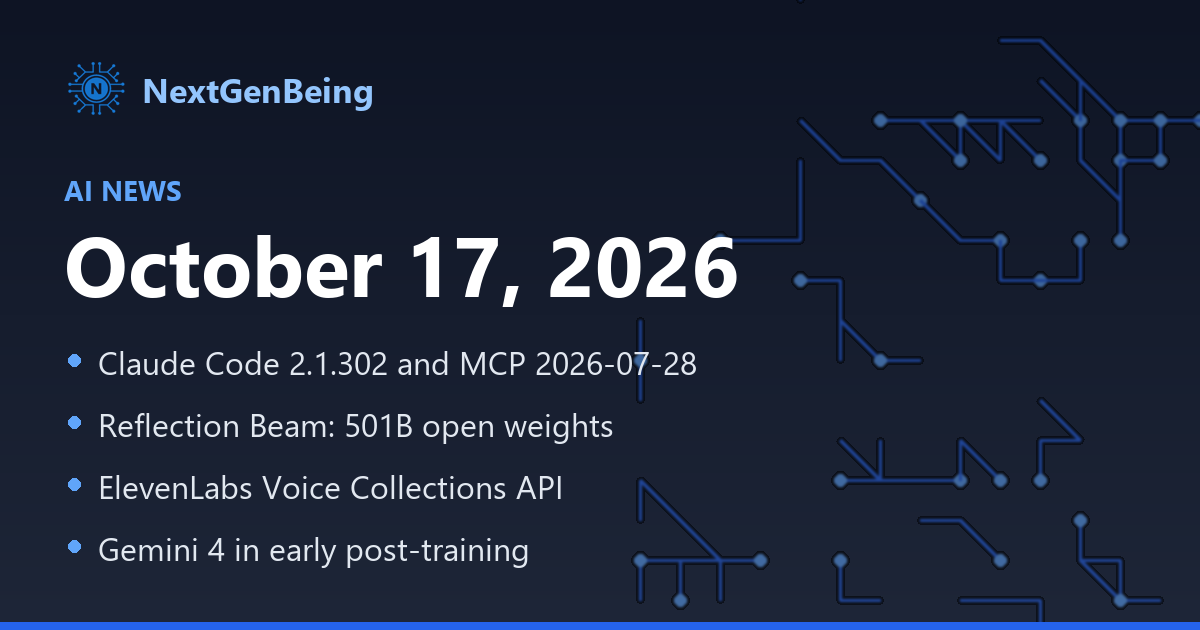
AI News — October 17, 2026
Oct 17, 2026

Building Real-Time Voice AI Apps with React and WebRTC
Oct 23, 2026

Build a Real-Time Voice Agent in React with ElevenLabs
Oct 21, 2026